Let's assume you're living in a part of the world that, guided by the highest moral principles, filters the information accessible to you—allowing only carefully curated facts to reach your eyes. But your curious spirit craves more. You want to go straight to the source and read firsthand what's really happening out there. Unfortunately, your digital path is blocked.
Now, let's also assume you want to read a local newspaper website called paraguaytoday.py—especially the news about llamas. You have several options at your disposal to make that happen.
You have several options at your disposal.
1. A VPN Service
On short: a VPN is a privacy shield and location-changer for your internet connection. It provides:
- Security – Protects your data on public Wi-Fi.
- Privacy – Prevents your Internet provider from spying on your browsing.
- Access – Lets you watch region-blocked content or bypass censorship.
Stick with a paid trustful service, as Proton VPN or Mullvad. There are however free versions of this sort of services, that come with different limitations (however usable for your situation).
2. Proxy Services
A proxy service is a middleman server that sits between your device and the internet. When you use a proxy, your web traffic goes through that server first, so websites see the proxy's IP address instead of your real one.
It looks like this: CroxyProxy
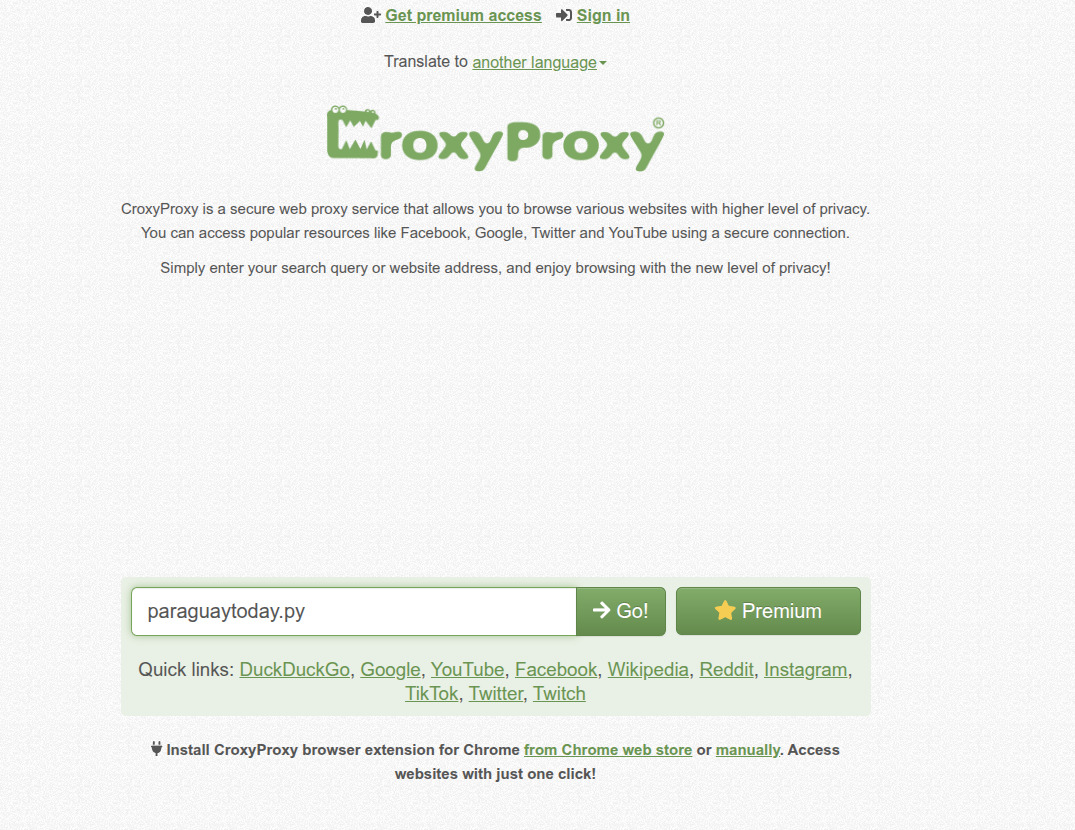
For a bigger list follow this link on privacysavy.com
3. Manually changing your DNS provider
A DNS is used to transform website names (like paraguaytoday.py) into the numerical IP addresses that computers can understand (like 1.2.3.4).
The simplest form of censorship happens right at your home internet provider. Your router automatically receives the provider's DNS settings and spreads them throughout your network. However, you don't have to use the provided DNS. There are several solid, independent DNS options out there that will let you roam the internet freely.
Check this page on how to do it: https://www.opendns.com/setupguide/
A list of public DNS servers can be found here.
The end.
Cover Image by Gerd Altmann from Pixabay